Logistics
Directional wafer rails
Drag from input toward output, just like a conveyor. Each cycle moves a wafer or chip exactly one tile with the arrow. Blocked outputs back up; branches never pull items sideways.
Experimental mod for Sandustry 0.6.1
Adds a playable silicon-to-chip production line, directional wafer rails, numerical combinators, fluid filters, acid piping, signal-controlled factory equipment, area probes, and production statistics.
Current build
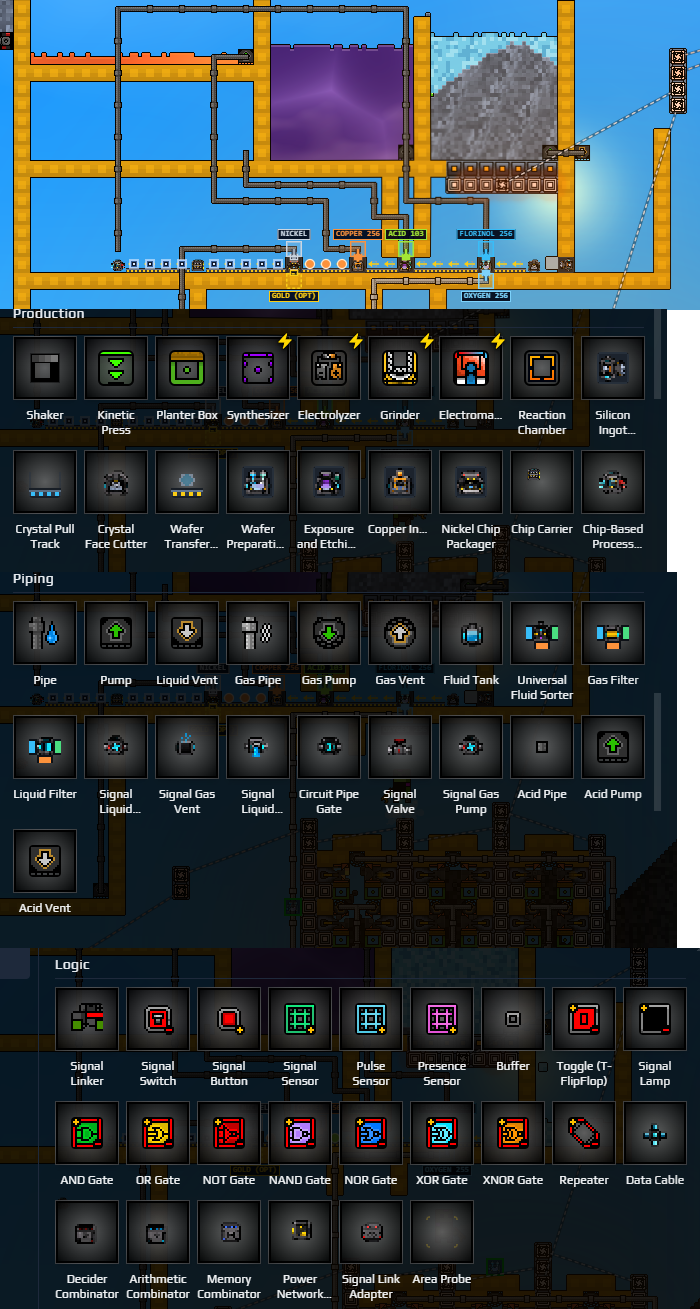
This in-game view shows the working silicon line and the structures currently included in the mod.
Build order
This is the implemented sequence. Unless noted otherwise, each bench consumes one incoming workpiece and one unit of each required fluid.
Quartz → Grinder → Silica. Process Silica with Charcoal in the Reaction Chamber to make Silicon. The mod adds a Silicon → Purified Silicon recipe to the existing heated Smelter.
The Silicon Ingot Extruder accepts Purified Silicon. Every three pixels create one three-cell-high solid terrain section. Existing sections advance one cell in the selected direction. Obstructions and a full track stop input consumption.
Place the Crystal Face Cutter at the exposed ingot face. It removes one terrain cell per production cycle. Three removed cells complete one raw wafer. A cut in the middle of a boule leaves a gap that the extruder can regrow.
One raw wafer, one Florinol, and one Oxygen produce one coated wafer. The bench readout shows its workpieces and both liquid buffers.
One coated wafer and one Acid produce one patterned wafer. The bench selects the first adjacent pipe connection and displays its acid buffer. Loose acid is not accepted as a substitute for a pipe input.
One patterned wafer and one Liquid Copper produce one circuit wafer. Like the etcher, the plater detects an adjacent pipe instead of requiring a fixed top connection.
One circuit wafer and one Liquid Nickel produce one standard chip. If Liquid Gold is available, one Gold is also consumed and the result is tracked as a separate gold-contact chip.
The Chip Carrier keeps standard and gold-contact chips separately. A Process Controller takes one adjacent chip, reads a linked sensor, and keeps equipment on or off using separate start and stop limits. This prevents pumps and doors from rapidly flickering at one exact reading.
Machine reference
Each production station starts with room for four of each workpiece. Spend finished chips from a nearby Chip Carrier to raise that limit to 8, 16, then 32. Existing saves keep any overflow while it drains.
The same port and production-flow diagrams shown in Sandustry’s build menu.
Selected and rejected routes, pipe connections, and circuit-controlled flow.
The Data Link Tool creates stored sensor-to-device connections; it does not place physical cable tiles.
Factory systems
Logistics
Drag from input toward output, just like a conveyor. Each cycle moves a wafer or chip exactly one tile with the arrow. Blocked outputs back up; branches never pull items sideways.
Logic
Decider, Arithmetic, and Memory combinators turn measured factory state into useful numerical signals. Click a placed machine in normal mode to edit it with the same selector layout used by filters.
Fluids
Universal, liquid, and gas filters split selected materials between accepted and rejected outputs without deleting blocked particles.
Flow control
Move liquids and gases, including Acid, release them safely, or control a pump, valve, vent, pipe gate, filter, or compatible vanilla door from a numerical Data Link signal.
Sensing
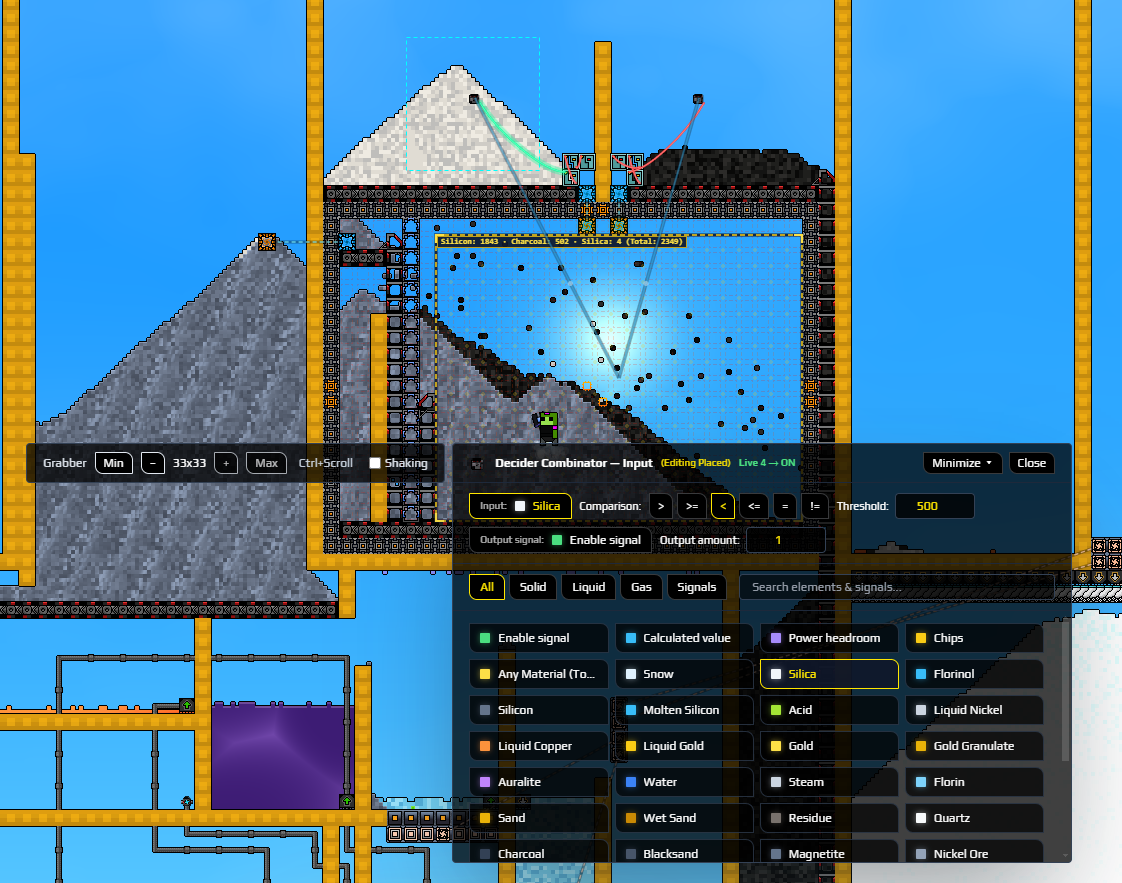
Drag an Area Probe over any size region, count every material inside it, then drag the Data Link Tool from the Probe to a Combinator or Controller. The visible line is a stored logical connection, not a physical cable.
Observability
Track production, consumption, dispatch, and storage movement over rolling windows. Objectives guide Industrial Automation, Tier 8 crystal cutting, and Tier 9 chip production.
The Data Link Tool connects the Probe to the Decider and the Decider to equipment. The Probe reports live Silica; the Decider holds Enable ON while that value is below 500.
Install the mod
Subscribe, use the Sandustry modding beta, restart the game after updates, and confirm the Iono version in the load toast.
cd $env:APPDATA\sandustry\mods
git clone https://github.com/dutchiono/Sandustry_ionos_mod.git